

Changelog
The latest news, fixes, and improvements from Support Response.
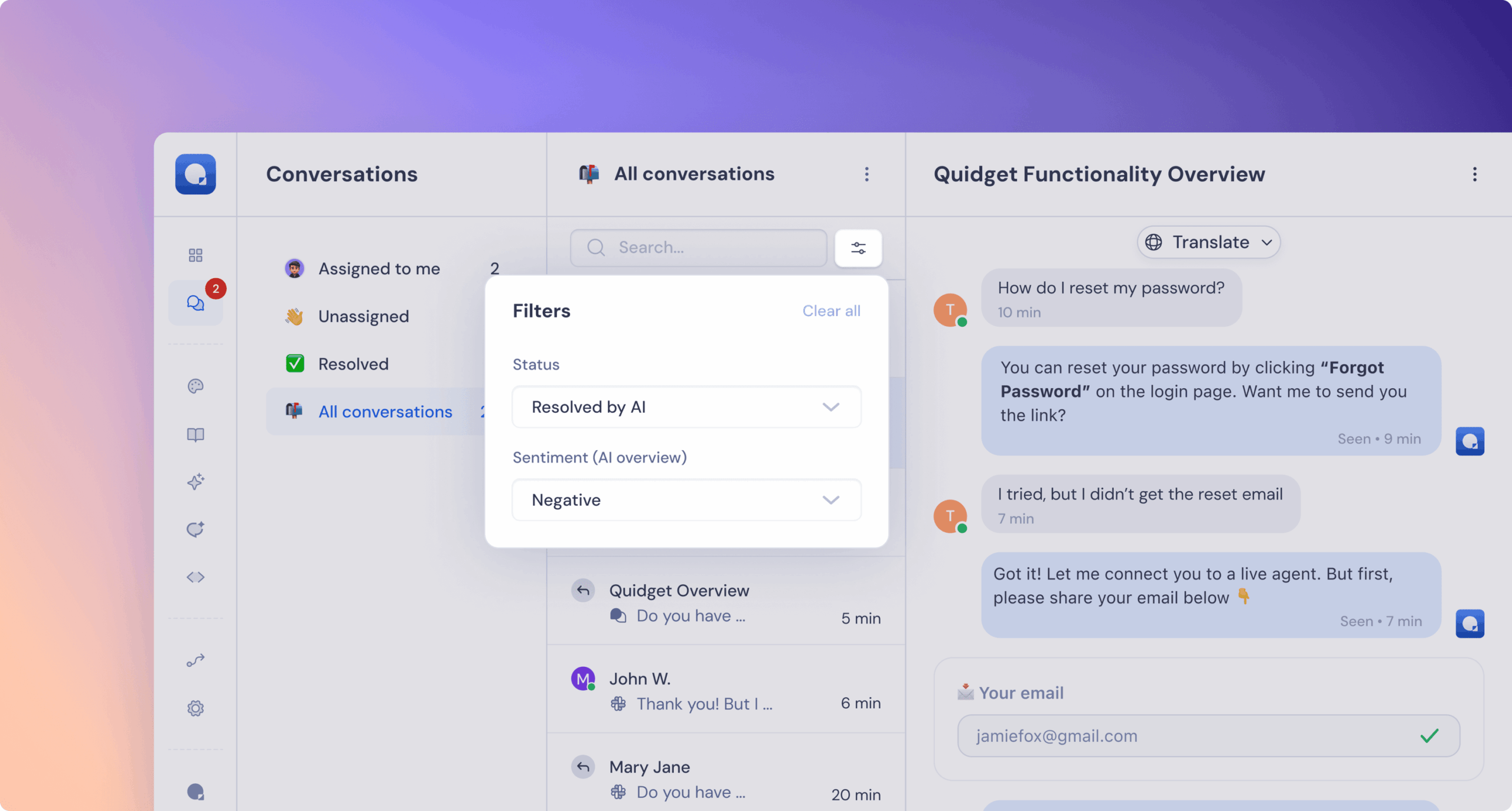
Inbox Filters for “Resolved” and “All Conversations”
Now you can filter conversations by:
- Resolution type: Resolved by AI or by a human
- Sentiment: Positive / Neutral / Negative
Why it matters: Want to see how your AI is doing or spot tricky conversations fast? These filters give you a crystal-clear view, so you can celebrate the wins and catch the rough spots early.
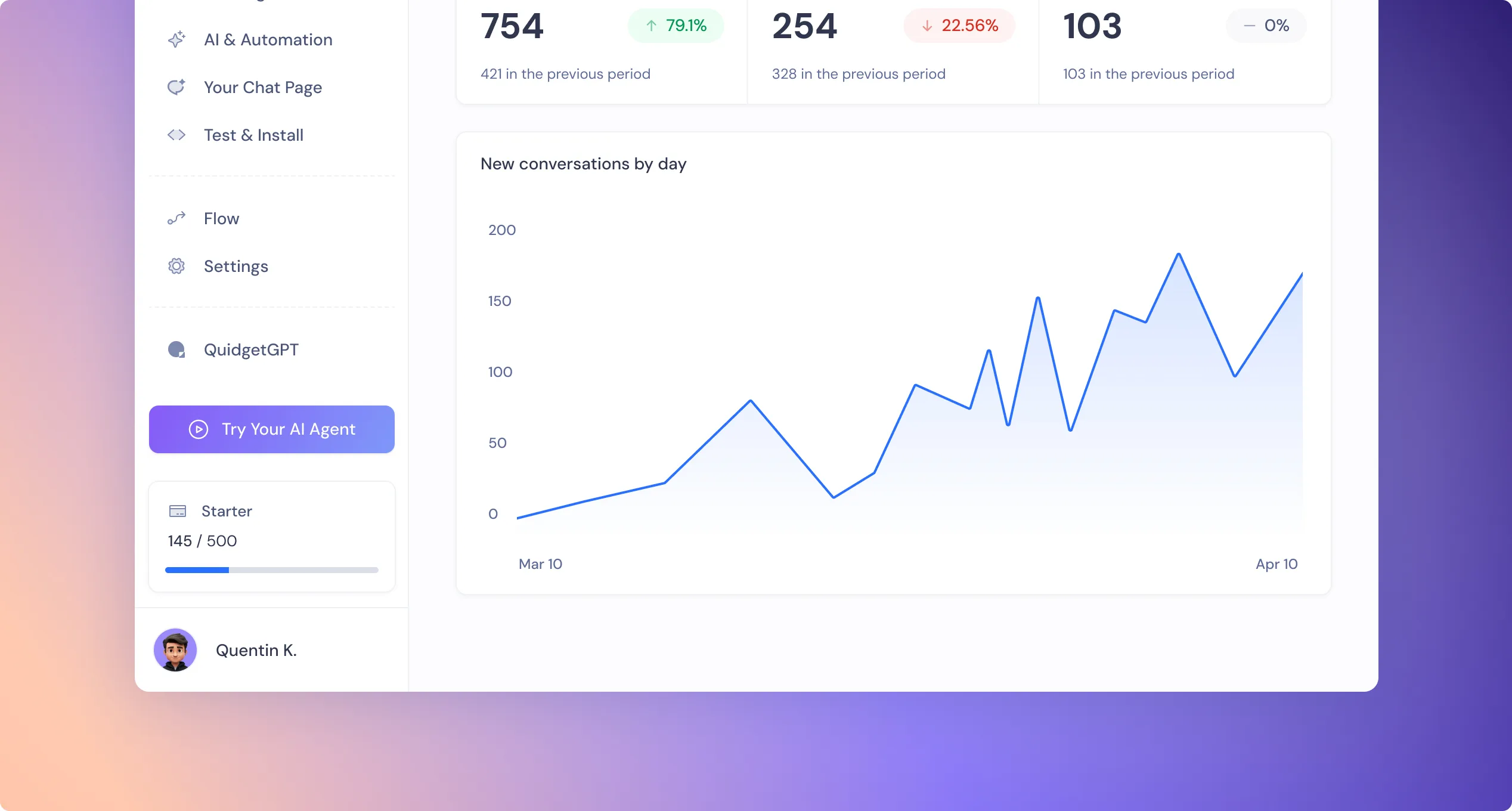
We’ve added a shiny new button Try Your AI Agent: in the expanded sidebar that takes you straight to Your Chat Page.
Why it matters: Testing your bot shouldn’t be hidden. This makes it super easy to jump in, see your agent in action, and share it — no clicks wasted.
You can now connect SupportResponse with Freshchat and manage all your chats in one familiar place.
Set it up here → Freshchat + SupportResponse
Why it matters: You get to keep using the tools you already love while still powering them with your AI agent.

Email Handling: Fixed an issue where emails with dots (e.g. mopet.zimba@gmail.com) were being modified on sign-up. Your email stays exactly as you typed it.
Web Chat Embed UI: Resolved padding issues in the embedded web chat version.
Your Chat Page (formerly “Share”)
We gave this page a little glow-up:
• New name and icon in the sidebar
• Fresh gradient background that matches your brand
• A clean link-sharing layout with a dropdown menu
• Web chat only (no more clutter)
• Mobile-friendly view with a full-screen chat
Why it matters: It’s never been easier (or prettier) to test and show off your AI agent. Whether you’re demoing to teammates or clients — this page feels sleek, focused, and totally share-ready.
Dashboard Stats Upgrade – Escalated to Human
We’ve improved how we track when a chat is handed off from AI to a human. It now includes fallback cases and chats closed by users before agents reply.
Why it matters: You deserve a clear picture of how often your bot needs backup — and why. With this insight, you can tweak your flows and make your AI even smarter over time.
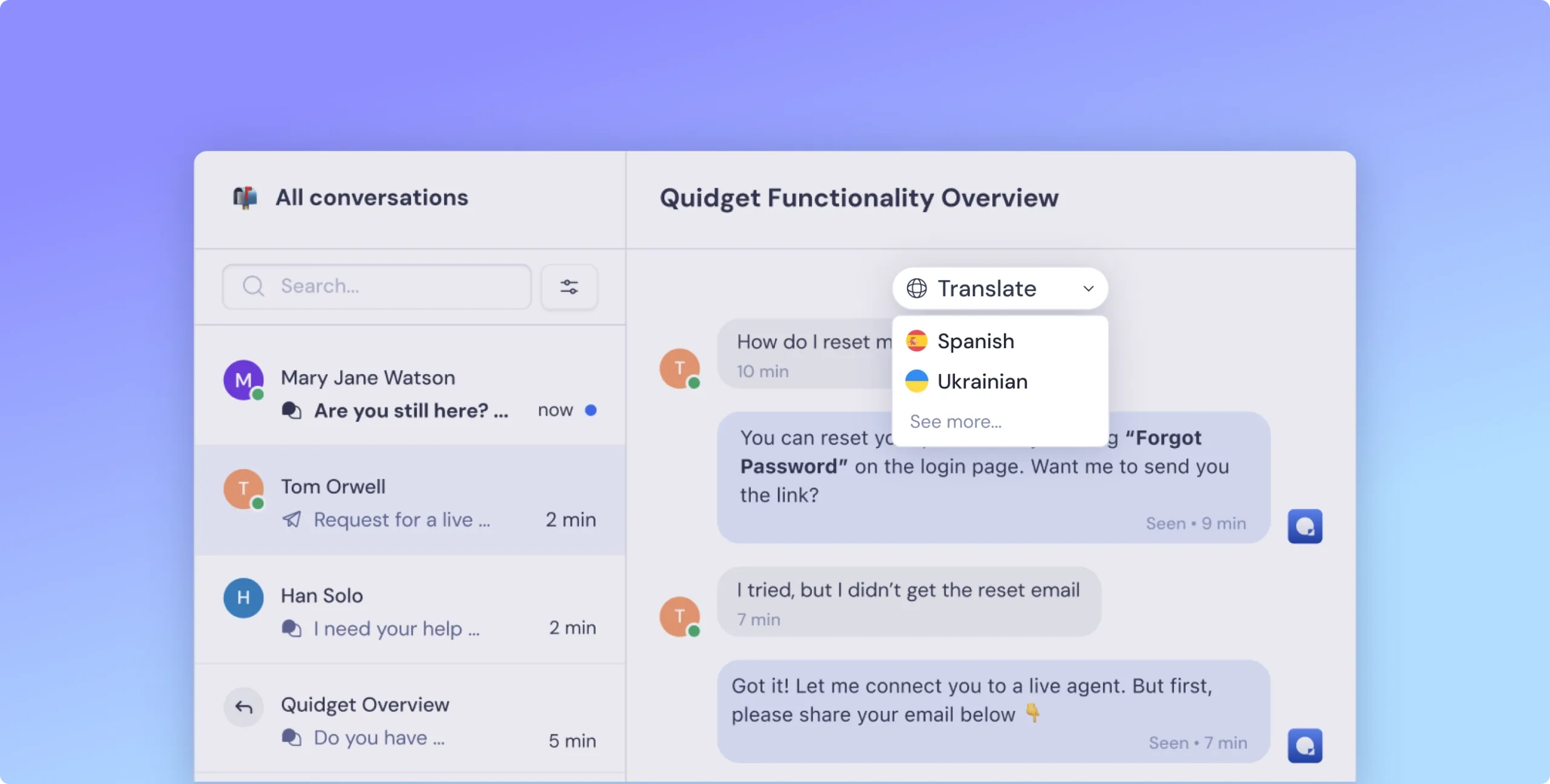
- Agents can translate the entire conversation into their own language
- The current language is always visible at the top of the chat
- Switch languages with a dropdown or use the quick-access list
- See original and translated messages side-by-side
Why this is helpful:
You can talk to anyone, no matter where they’re from — without switching tools or slowing down.
 Previous

SupportResponse keeps getting better—
stay tuned for more updates!
Log in to your SupportResponse dashboard and start optimizing your AI chatbot today!